
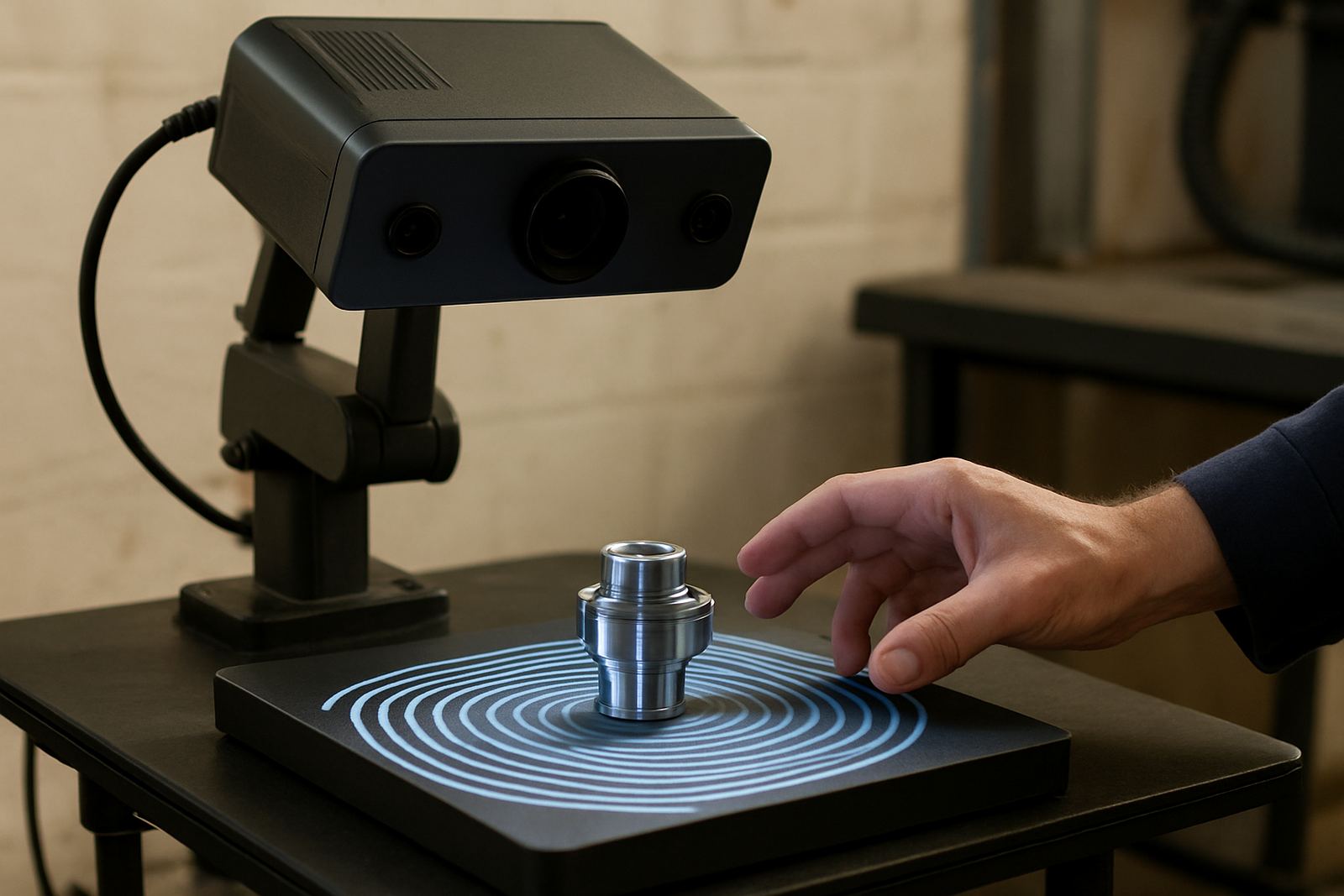
When a desktop scanner beats manual measuring
In a machining or tooling environment, the first question is not what technology looks impressive, it is what gives you reliable data quickly. A desktop scanner is a strong option when you are dealing with small parts, tight features, or repeat jobs where the same dimensions must be checked again and again. Think inserts, miniature brackets, small mould components, jigs, medical fittings, or precision plastic parts. These items can be awkward to measure with callipers alone, especially when there are curves, slots, radii, and thin walls.
For many workshops in Struandale, Markman, and Coega, the practical advantage is speed with control. You place the part, scan it, and compare the result to the original CAD or inspection file. That is far quicker than setting up a full large-format scan or rebuilding a measurement routine from scratch for every tiny component. It also reduces handling, which matters when edges are soft, polished, or easy to mark.
Why small parts need a gentler scanning approach
Small components can be difficult because they move, reflect light, and hide important features. A desktop scanner gives a controlled working area with stable positioning and repeatable lighting. That helps when the part has fine engraving, shallow pockets, or thin clips that are hard to capture on a bench with general purpose tools. The operator is working closer to the component, which improves detail and makes calibration checks more straightforward.
For workshops near Gqeberha CBD or Despatch where batches may be small and turnaround must stay tight, that control matters. You are less likely to spend time chasing bad data from a part that was not clamped properly or a setup that changed halfway through the job. With small detailed items the scanner needs to work with the part not against it.
- Better capture of fine edges, grooves, and surface detail
- Less handling of fragile or finished parts
- More consistent results across repeat batches
- Useful for comparing made parts against a master sample
A practical fit for tool rooms and jobbing shops
Desktop scanning suits workshops that make one-off parts, short runs, or replacement items where accuracy is important but floor space is limited. A lot of South African machine shops do not have spare room for large equipment, especially where CNCs, tool cabinets, and inspection benches are already packed in. A compact scanner can sit in a controlled area and support day-to-day checking without interrupting production.
It is also useful where the team needs fast feedback before sending parts to the next operation. A turned component can be checked before final assembly. A printed prototype can be reviewed before tooling changes are made. A small mould insert can be scanned after regrinding, so the team can confirm that critical dimensions are still within tolerance. That kind of early check often saves material and a second round of machining.
In a place like Struandale, where manufacturing often works around load-shedding and busy dispatch schedules, having a compact inspection method can keep the job moving. You do not want a small correction turning into a full delay because the part had to go somewhere else for measurement.
Where desktop scan benefits show up in daily production
The real value is not just in seeing the part, it is in using the scan to make better decisions. Desktop scanning helps when you need to know whether a part was machined correctly, whether a printed item shrank as expected, or whether wear has started to affect a holder or fixture. It can also show if a pocket is drifting out of shape or if two supposedly matching parts are not actually the same.
That is especially useful for customers who supply replacement parts across Gqeberha, Kariega, and Port Elizabeth CBD. A scanned sample can be compared with a previous part, then corrections can be made before the batch leaves the shop. It is practical quality control, not extra paperwork.
- Checking small machined features before final fitment
- Comparing print output against design intent
- Identifying wear on fixtures and small holding parts
- Confirming repeatability after maintenance or rework
Why the local environment matters more than people think
South African workshops have to deal with heat, dust, humidity, and interrupted power. In coastal areas, humidity can affect sensitive parts and increase the need for careful storage and handling. A desktop scanner can help because it reduces time spent moving small components around the shop floor. That lowers the chance of contamination, damage, or an inaccurate reading from a part that has warmed up after machining.
It also helps when municipal or customer rules require traceability on certain jobs. If a shop needs to show that a small component was checked before delivery, a scan record gives a useful reference. This is particularly valuable for medical, automotive, and specialist engineering work where repeatability matters more than a quick visual sign-off.
In practice, the scanner becomes part of the workshop's control routine. It is not there to replace experience, but to back it up with something measurable and consistent.
Choosing the right scanner for the job
Not every scanner suits every part. Before choosing a desktop unit, look at the size of the components, surface finish, required accuracy, and how often the parts will be scanned. If the parts are tiny and detailed, the scanner must be able to capture fine geometry clearly. If the parts are reflective or dark, the setup must still give clean readings. If the job is ongoing, ease of use and maintenance become just as important as the scan itself.
For many machine shops, the best approach is simple: match the scanner to the parts you actually make. A unit that is ideal for a 20 mm precision insert may not be the best for a broader fixture plate. It helps to test the process against real samples from your own production and not rely on brochure claims. That is the difference between a machine that sits idle and one that earns its place on the bench.
- Check the smallest feature size you need to capture
- Confirm accuracy requirements for your work
- Ask how surface finish and colour affect scanning
- Plan for calibration, maintenance, and operator training
Support that keeps the scanner useful, not just switched on
Scanning equipment works best when it is maintained properly and used by people who understand machining, not only software. In a working shop, that means regular checks, cleaning, calibration, and clear procedures for handling parts. It also means knowing when a job should be scanned and when a simpler inspection method is enough.
For teams in Struandale, Markman, Coega, and surrounding areas, local support makes a difference because downtime is expensive and transport can interrupt the schedule. Collection and delivery for equipment, calibration support, and practical advice all help keep the scanner tied to production reality. A good desktop system should fit the pace of the workshop, not slow it down or add extra admin.
Used well, a desktop scanner becomes part of a smart inspection routine. It gives small detailed components the attention they need, and it helps the workshop protect accuracy, reduce rework, and keep orders moving.
A local example from a busy production floor
A small shop in Gqeberha might be running short batches of precision parts for a customer in Kariega. The parts are small enough to fit in one hand, but they include slots, holes, and a thin locating edge that must match the master sample. Manual checking gives a basic answer, yet it misses the full shape of the part. A desktop scanner lets the team confirm the geometry against the original file before packing the order for delivery.
That is where the benefit becomes clear. The operator does not need to guess whether a tiny corner is acceptable. The scan shows what changed and where, so the correction can be made on the next cycle. In a shop that already has to manage tool holders, collets, workholding, and machine setup, that kind of clarity is worth a lot.
When small detailed parts are part of the job, the better question is not whether scanning is useful, but which scanning method gives the shop the control it actually needs.