
Home / Catalogue / Filament 3D Printer

Catalogue

Filament 3D Printer

Tooling supplies industrial filament 3D printers for workshops that need practical parts, not show pieces. They are used for jigs, fixtures, guards and functional prototypes where repeatability, speed and sensible running costs matter.

Filament 3D Printer

Built for workshop parts that must hold their shape

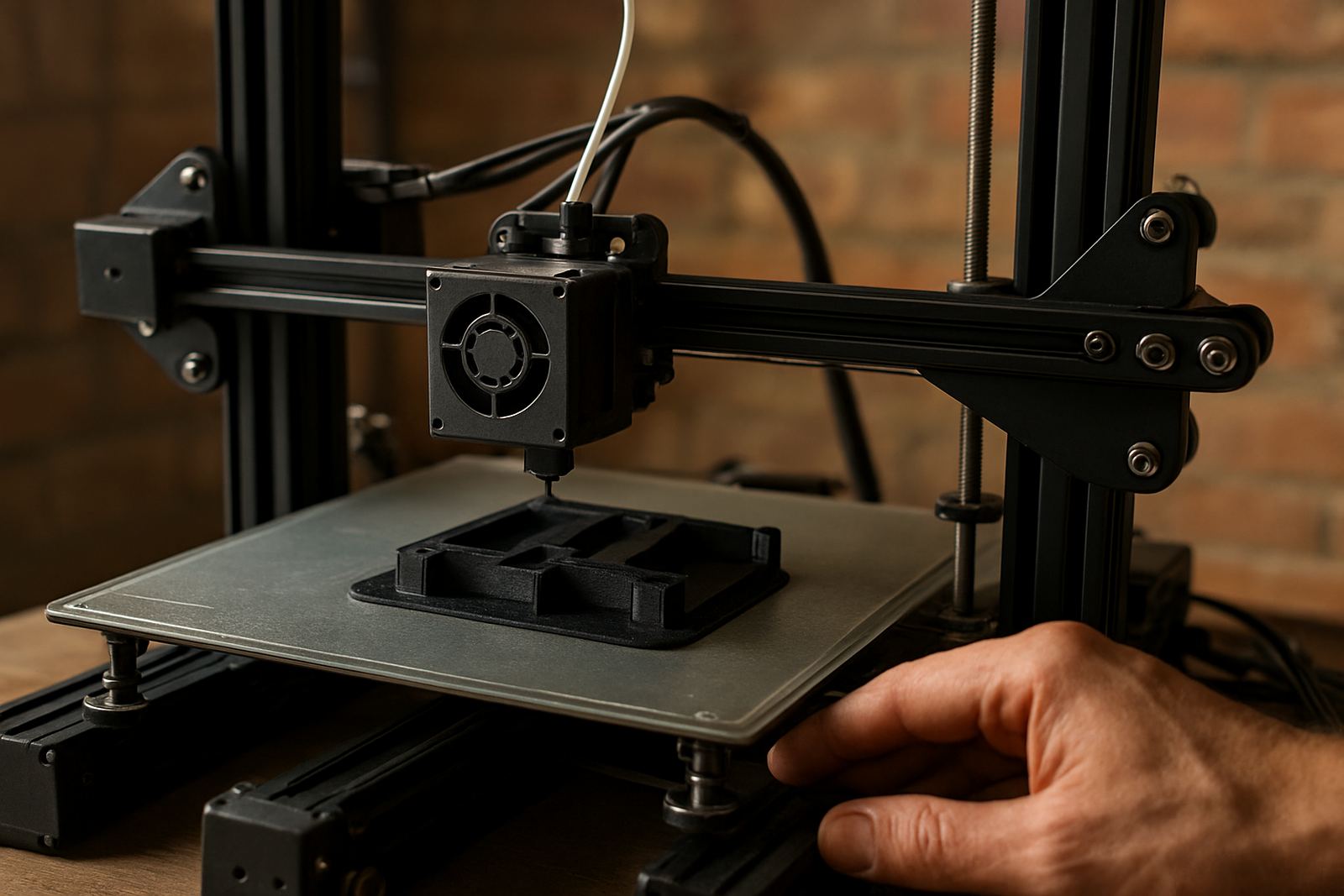
A filament 3D printer uses heated plastic filament to build parts layer by layer, making it a good fit for production aids that need to be ready quickly. In machine shops, fabrication bays and maintenance departments, these printers are often used for drill guides, cable clips, inspection gauges, covers and small fixtures that can save time on the floor.

For South African workshops, the attraction is practical: you can make short-run parts in-house instead of waiting on outside suppliers, and you can adjust a design the same day if a job changes. That helps where machine downtime is expensive and where load-shedding makes careful planning essential.

The machines in this class are generally aimed at industrial use, so the build chamber, motion system and heated bed are made to handle long print times and repeat jobs. For many users the real value is not only the printer itself but the ability to test a design, correct it, then print again without long delays.

Typical sizes, build volumes and print options

Filament printers come in a range of build volumes, from compact units for small jigs to larger machines for guards, trays and prototype housings. A common workshop size is around 220 x 220 x 250 mm, while larger industrial models may offer 300 x 300 x 300 mm or more depending on the setup. The right choice depends on the largest part you need in one piece and how often you need to run the machine.

Most systems support standard engineering filaments such as PLA for simple prototype work, PETG for tougher general use, ABS for heat resistance, and nylon or reinforced materials for stronger functional parts. Some users also need dual extrusion for soluble support material or multi material work, especially where complex shapes or internal channels are involved.

  • Single extruder setups suit general workshop printing and lower running costs.
  • Dual extruder or multi material options help with support removal and more advanced parts.
  • Heated bed systems are important for better adhesion and fewer warped prints.
  • Enclosed cabinets help with temperature control on demanding materials.

Where filament printing makes sense on the shop floor

These printers suit machine shops, maintenance teams, fabrication businesses, plastics converters and engineering firms that need quick turnaround on small batches. They are especially useful for fixture plates, locating aids, soft jaws for light duty work, sensor mounts, tool stands and templates. In many cases a printed part is not the final product, but it makes the final job faster and more accurate.

They also work well in environments where a metal part would be overkill. A printed guard or spacer can be quicker to make and easier to replace, and in some cases it reduces the need to stop a machine while a minor part is manufactured elsewhere. That said, heat, chemical exposure and heavy mechanical load must be considered before choosing the material.

  • Best for short-run parts, prototypes and production aids.
  • Useful where frequent design changes are expected.
  • Suited to workshops that need in-house control over turnaround times.
  • Not ideal for parts exposed to high impact, open flame or constant high heat unless the correct material is selected.

Power, installation and workshop conditions

Most industrial filament printers run from standard 230V single-phase power, which suits South African workshops and offices. The machine should be placed on a level bench with enough room around it for spool access, part removal and maintenance. Good ventilation is important, especially when printing materials that give off fumes, and an enclosed room should still allow fresh air exchange.

For sites affected by load-shedding, it is wise to plan for a UPS or backup power arrangement if a print can not be interrupted. A sudden outage can spoil a long job and waste material. In coastal areas such as Gqeberha, Port Elizabeth CBD and Kariega, humidity can also affect certain filaments, so dry storage is important. Keep reels sealed when not in use and use a filament dryer where needed.

Some industrial materials may need controlled temperatures or a heated enclosure to reduce warping. If the printer will be used in a dusty workshop, it should be kept away from grinding dust, oil mist and coolant overspray. Those conditions can affect motion parts and print quality over time, so placement matters as much as the spec sheet.

Care, servicing and what keeps print quality steady

Like any precision machine, a filament printer needs regular attention. Nozzles wear, beds lose level, belts stretch and fans collect dust. Routine cleaning and inspection help prevent failed prints and keep dimensional accuracy where it should be. A little maintenance is cheaper than scrapping a full overnight print. It is simple maths really.

Tooling supports printer maintenance and scanner calibration, so the machine can stay consistent for repeated jobs. In practical terms, that means checking extrusion, bed alignment, motion smoothness and filament feed before small issues become large ones. If parts are being used for fixtures or gauges, consistency matters more than people often expect.

  • Clean the nozzle and build plate regularly.
  • Check belt tension, fan operation and feeder wear.
  • Store filament dry and sealed.
  • Confirm bed levelling and first-layer adhesion before long runs.
  • Keep the machine free of coolant mist, dust and swarf.

What to confirm before you order

Before ordering, check the part sizes you need, the materials you want to print, and whether the printer must sit in an office, workshop or protected enclosure. If you need strong functional parts, it is worth asking about maximum nozzle temperature, heated bed temperature, chamber control and supported materials. If the job involves jigs or fixtures, accuracy and repeatability are usually more important than speed alone.

You should also confirm the power connection, service access and whether collection and delivery is needed to Struandale, Markman, Coega, Despatch, Kariega or the Port Elizabeth CBD. For sites further afield, nationwide supply can be arranged to suit the job and the deadline. If the machine will be used by more than one operator, training and set-up support should form part of the order so the team can use it properly from day one.

For many buyers, the key questions are simple: what size part do you need, what material must it be made from, and how often will the printer run. Those three answers usually point to the right machine quicker than any long specification list.

Key facts

TechnologyIndustrial filament 3D printing, FDM type
Typical build volume220 x 220 x 250 mm to 300 x 300 x 300 mm plus
Power supply230V single-phase, workshop friendly
MaterialsPLA, PETG, ABS, nylon and selected reinforced filaments
Best useJigs, fixtures, guards, prototypes and small production aids
SupportInstallation guidance, maintenance, calibration and local collection and delivery

What our Precision Tooling customers say

Verified Google reviews

Questions we get asked

What kinds of parts are best suited to a filament 3D printer?

Jigs, fixtures, guards, housings, clips, mounts and functional prototypes are the most common uses. Parts that need fast turnaround and repeated adjustment usually make the best case.

Can a filament printer run during load-shedding?

It can, but only if you plan for backup power or use the machine between outage windows. A sudden interruption can ruin the print, so power planning is important for long jobs.

What should I check before buying filament materials?

Check heat resistance, impact strength, bed adhesion, moisture sensitivity and whether the material suits your workshop conditions. Coastal humidity and dusty environments can affect storage and print consistency.

Planning something? Send the team a message.

Contact form